
How to create an Enquiry
An enquiry is one customer's interest in one vehicle, tracked from first contact to a delivered order. It is where you log every call, note, appointment, offer, order, invoice and payment for that deal.
Enquiries usually create themselves: a customer submits your website enquiry form, a portal sends you a lead, or someone applies for finance. Create one by hand when a customer walks in or phones.
Creating one
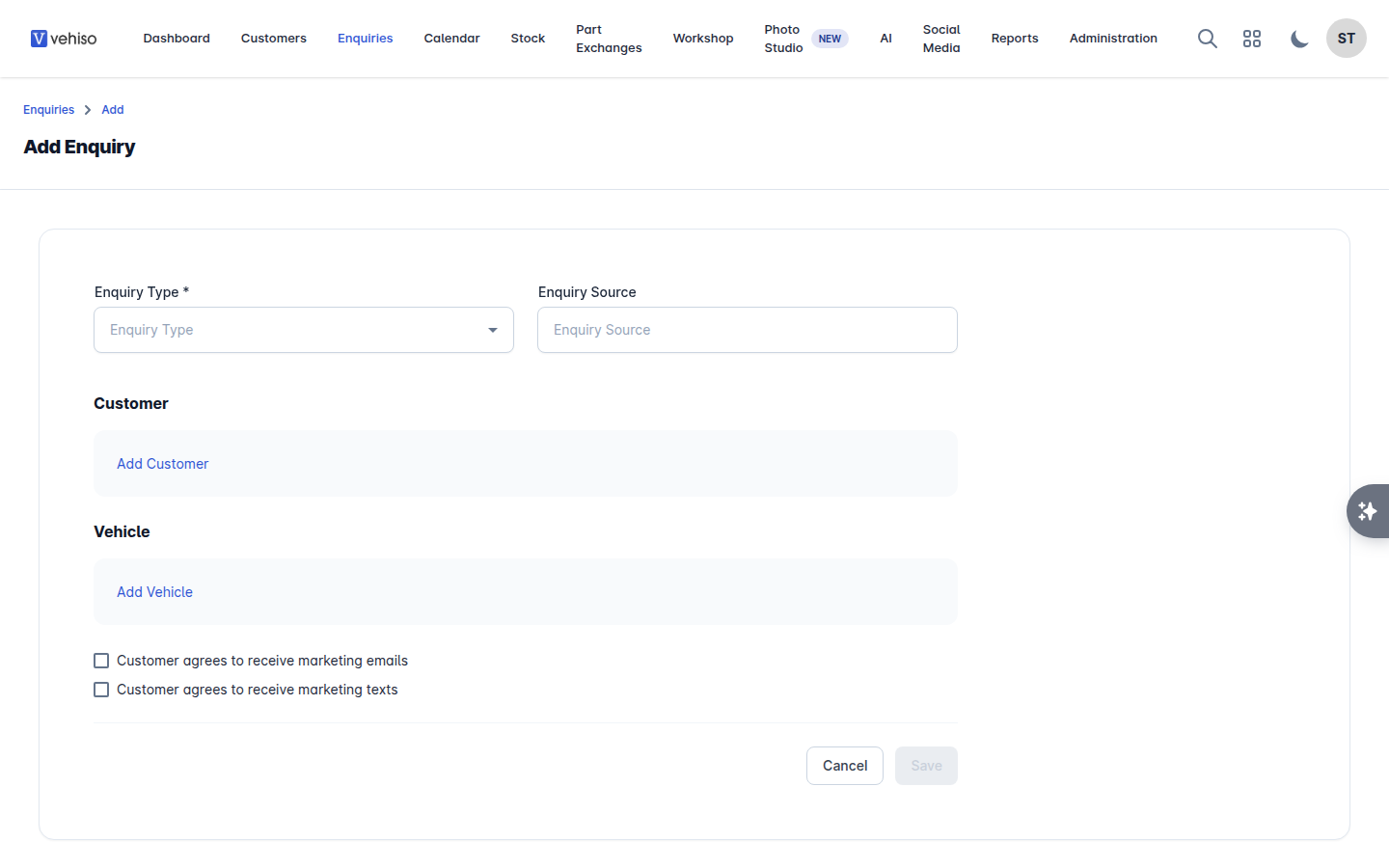
Go to Enquiries and select Add. If you already have the customer's record open, select Add enquiry there instead - the form opens with them already chosen.
Choose the Enquiry Type: New, Pre-Owned or Motability.
Choose the Enquiry Source - where the lead came from. Vehiso ships with Website, AutoTrader, CarGurus, Motors.co.uk, AA Cars, RAC Cars and Finance Application, and you can add your own.
Under Customer, select Add Customer and either find an Existing Customer or create a New Customer there and then.
Under Vehicle, select Add Vehicle and find the car in your stock by make and model, registration or VIN. Not every enquiry has a vehicle - leave it empty if the customer has not settled on one, and attach it later.
Tick the marketing consents if the customer has agreed to them.
Select Save.
What you can do next
The enquiry opens on its Overview, where you can log notes, book appointments, add tasks, record a part exchange, take payments and sell the vehicle. A Finance Application tab appears as well when the customer applied for finance through your website.
Assign it to whoever is working the deal with Sales Person, and keep the Status current so your enquiry list and reports mean something.