
Reports
Four reports, each answering a different question. All of them share the same period picker - Today, This Week, This Month, Last Month, This Quarter, This Year, All Time or a Custom range - and can be filtered by branch and downloaded.
Go to Reports.
Overview
The business overview: the headline numbers with a comparison against the previous period.
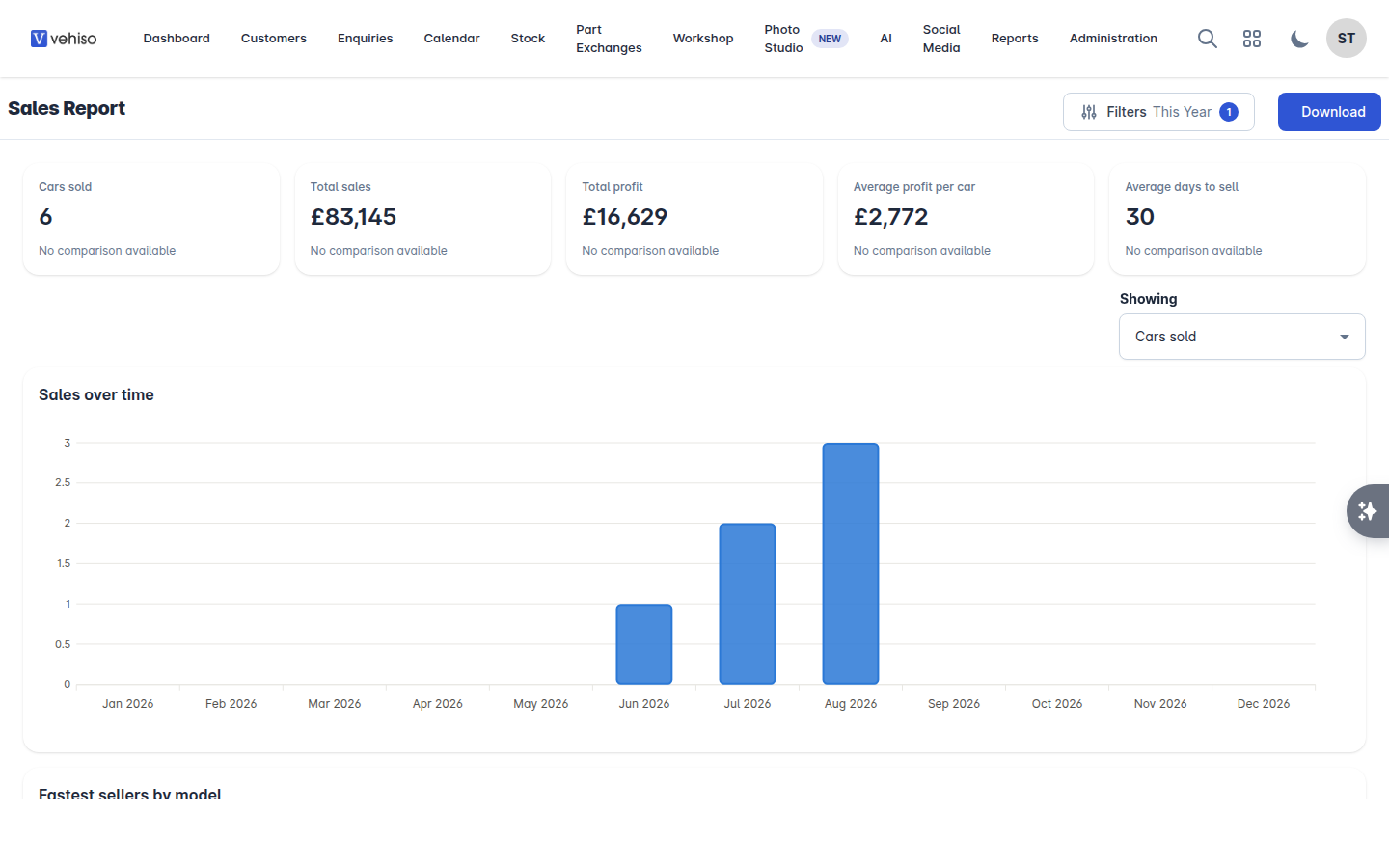
Cars sold, Total sales, Total profit, Average profit per car and Average days to sell
Cars in stock, Stock value, Projected profit and Average days in stock, as things stand today
Sales over time, and Cars in and cars out so you can see whether you are replacing what you sell
How long stock has been with you - up to 30 days, 31 to 60, 61 to 90, and over 90
Money tied up, by status
What you hold, by make and where your stock came from
Fastest sellers by model
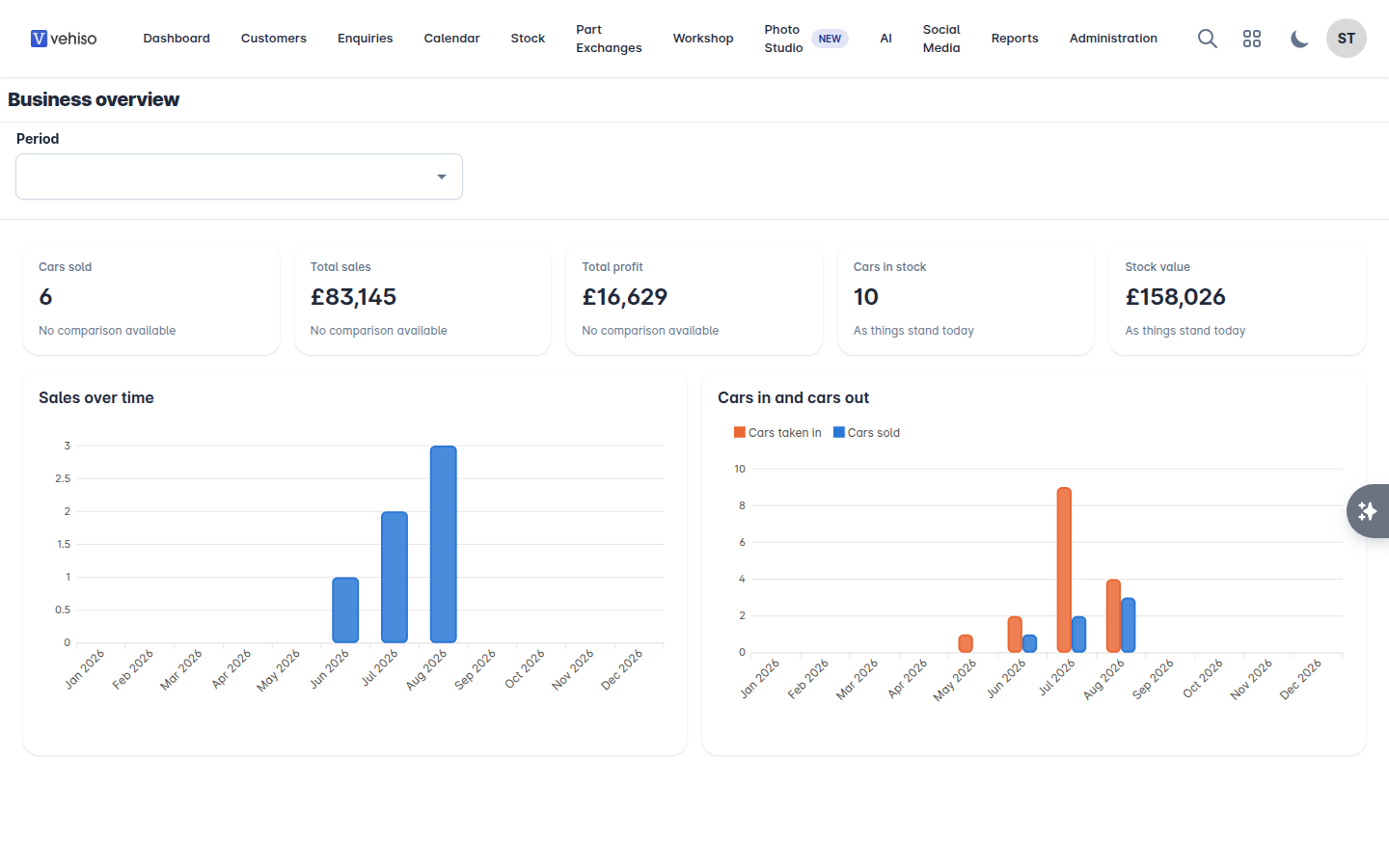
The age profile is the one to look at weekly. Cars over 90 days are where your money is, and the number rarely improves on its own.
Stock
Every vehicle with the numbers behind it: Make / Model (VRM), VAT Scheme, Purchase Price, Costs, Price, Stock Feeds, mileage, colour, derivative, registration date, body style and MOT expiry, with totals at the bottom.
Filter by In Stock From and To, Vehicle Statuses and MOT Status.
This report is only as honest as your SIV and your costs. See Costs, notes and tasks.
Sales
Every sale: Customer, Vehicle, Sold Price, Profit, Salesperson, Date Sold, Est. Handover Date, Status and Branch.
Filter by Sold From and To and by Enquiry Statuses.
Workshop
The workshop's key numbers:
Total Bookings, Revenue, Technician Utilisation, Avg Job Value and Completion Rate
Bookings by Service Type, Revenue Over Time and Jobs by Status
Total Job Cards, Avg Completion Time, Avg Revenue / Job and Jobs / Technician
Booking Conversion - bookings that became job cards
No-Show Rate
Health Check Completion, Work identified, Work authorised and your authorisation rate
Revenue per clocked hour and Where the money came from
Finished but not invoiced and Invoiced but unpaid, aged in days
Where you stock parts there is a Parts section too: Parts revenue, Parts gross profit, Parts margin, Parts to labour, Stock turn, Fill rate, Obsolescence, Parts spend by supplier, Purchased against used, Tied up in stock, Outstanding surcharges and Stock not moving. See Parts and stock control.
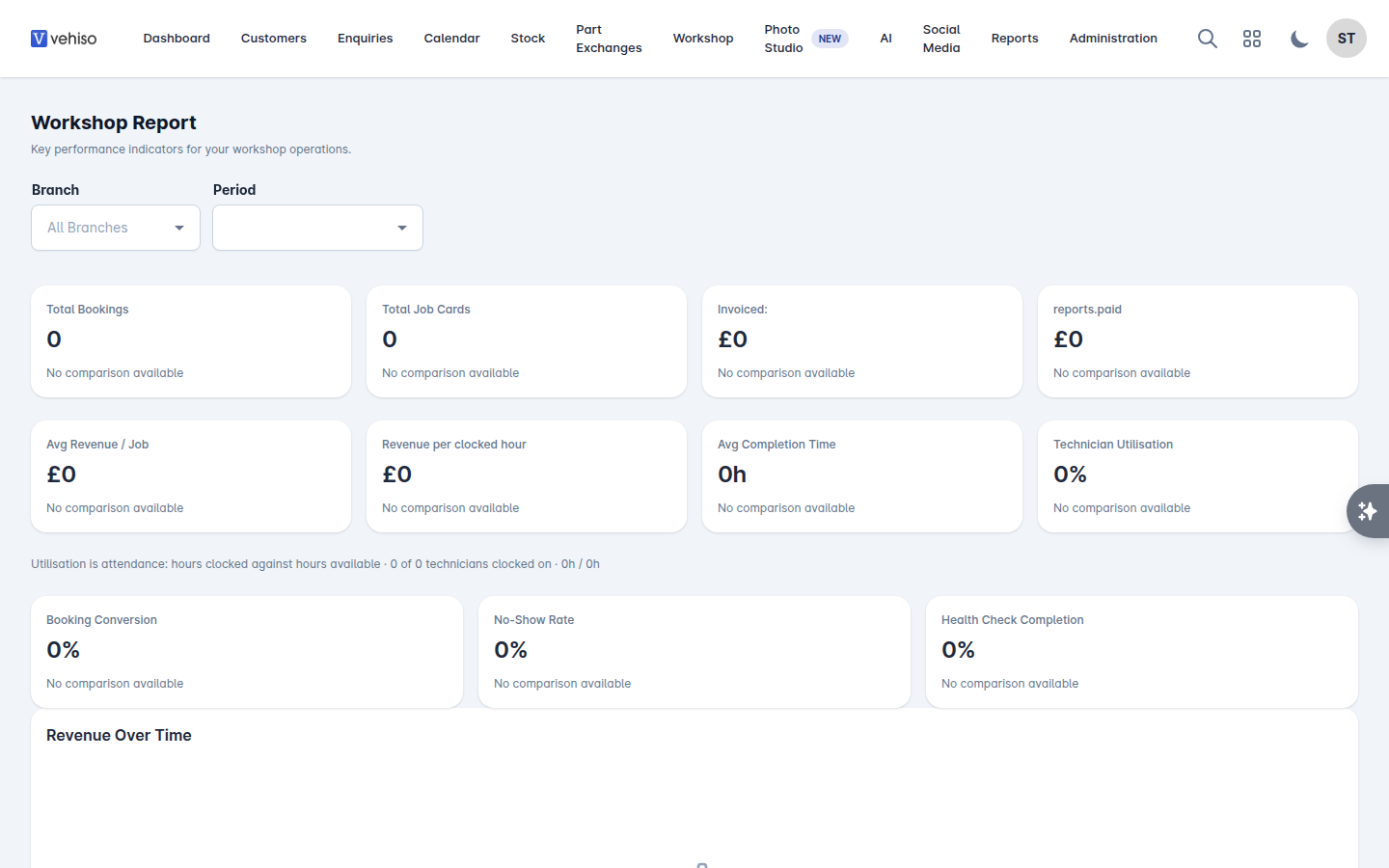
Utilisation here is attendance: hours clocked against hours available. It tells you whether your technicians are on the clock, not whether the work they did was profitable - for that, look at revenue per clocked hour.
Reading them honestly
Reports reflect what your team put in. Before drawing conclusions, check that:
Vehicles have a real SIV and their costs recorded.
Enquiries are given a status and a salesperson.
Workshop bookings are marked Completed, Cancelled or No Show rather than left hanging.
Get those three habits right and the reports become worth acting on.