
Documents
Documents are the paperwork you attach to enquiries: terms and conditions, a sales checklist, a commission disclosure, a warranty booklet, a GDPR form. Set one up once and it is available on every deal.
Go to Administration > Documents.
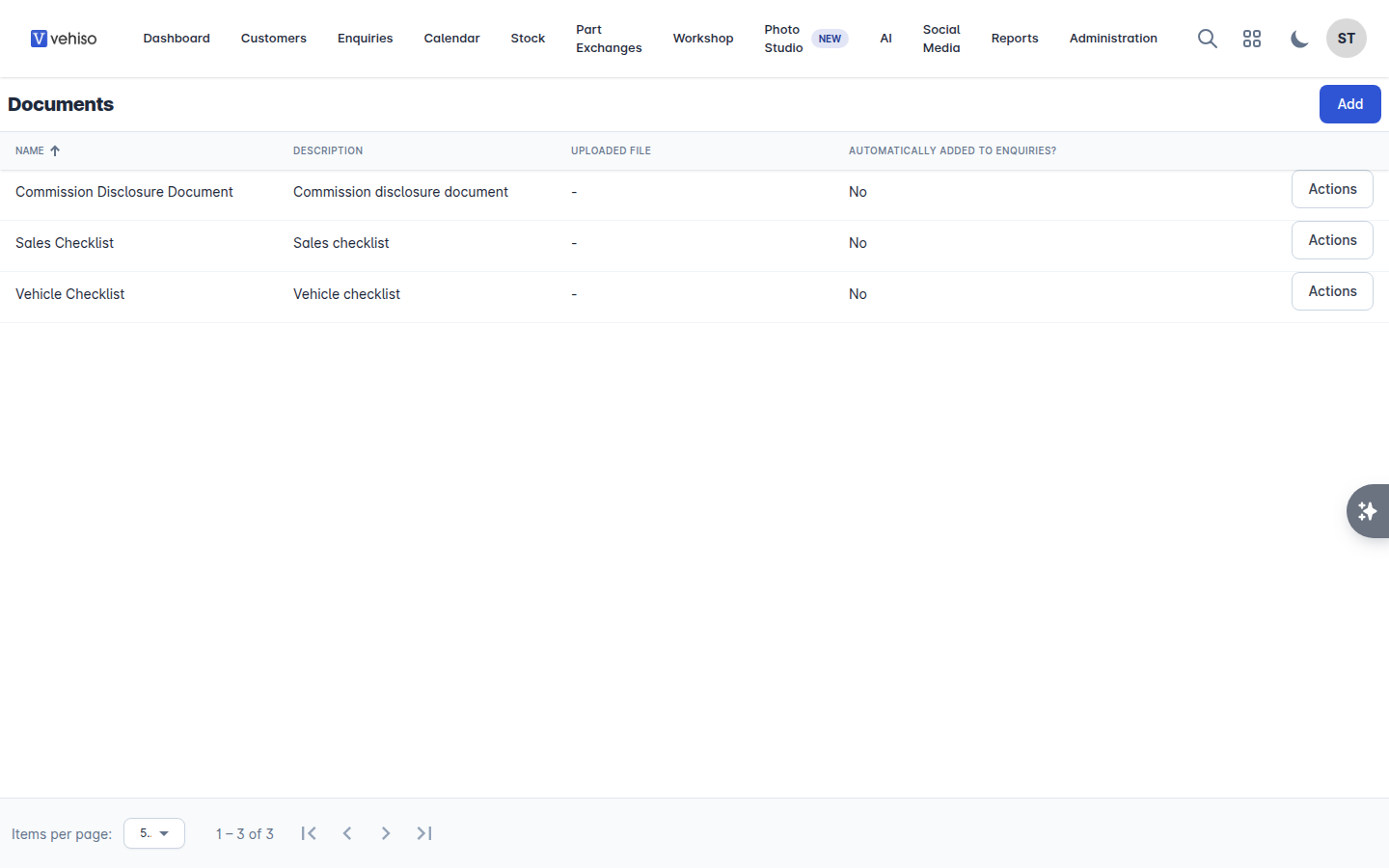
Adding a document
Select Add.
Enter a Name and a Description.
Either Upload file and choose a PDF, or write the Content in Vehiso.
Tick Automatically add to enquiries? if this document should be attached to every new enquiry.
Select Save.
Documents set to add automatically appear on every enquiry created from then on. Use it for the paperwork that genuinely applies to every deal, and leave the rest to be added by hand.
Signing boxes
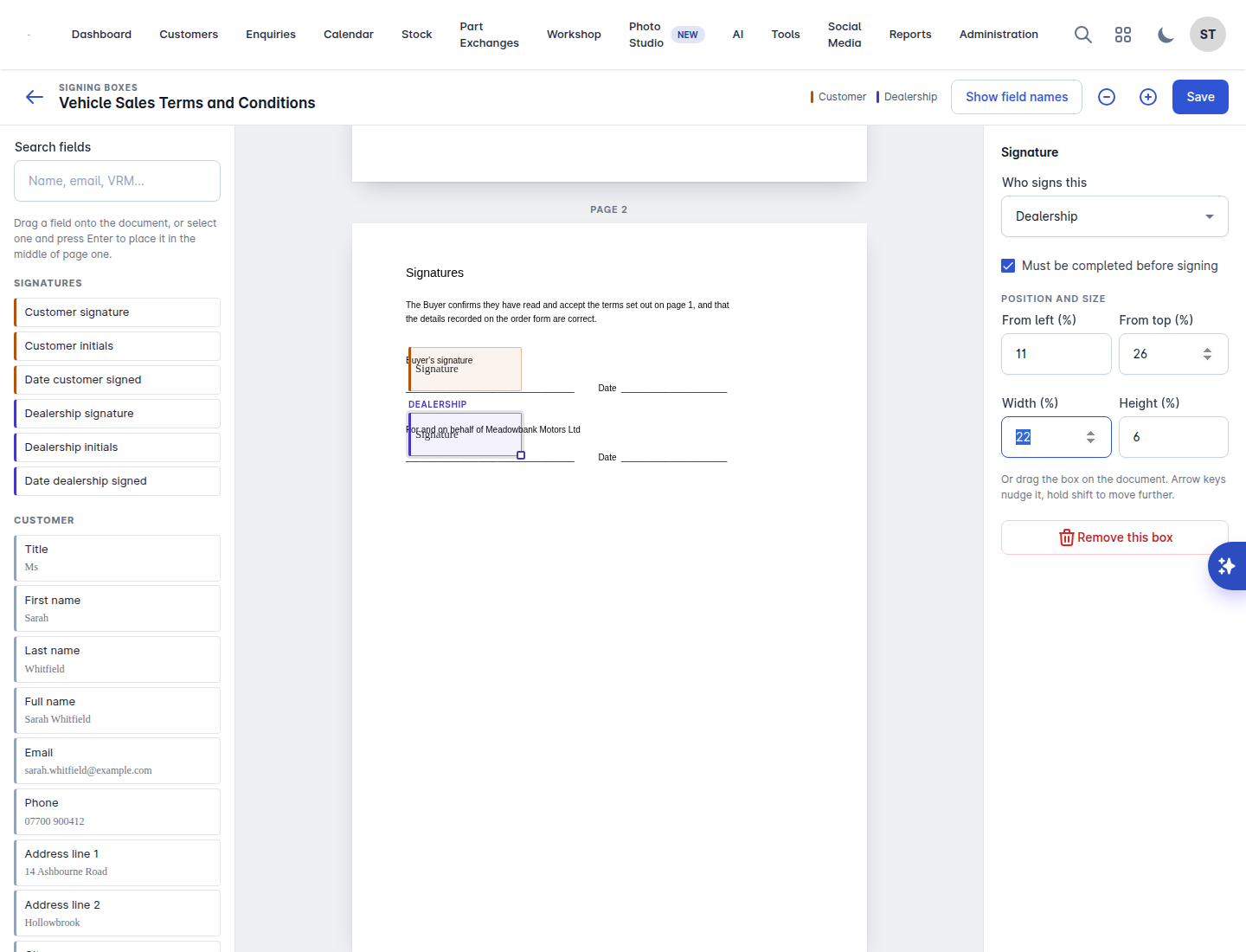
If a document is going to be signed electronically, you decide where the signature goes.
Choose Signing boxes on the document.
Place the boxes on the PDF where the signatures belong.
Save.
If you replace the PDF afterwards, Vehiso warns you that the file changed after the boxes were placed. Check them before sending that document out again - a signing box in the wrong place on a new layout is the kind of thing nobody notices until a customer queries it.
Using them on an enquiry
On an enquiry, the Documents panel shows what is attached. Add Document offers your Available Documents. From there each document can be viewed, downloaded, or included in an e-signature request. See E-signatures and order packs.
One rule to know: the Sales Checklist document can only be added to an enquiry that has an order.
Editing and deleting
Edit a document to change its name, description, content or file. Some documents cannot be deleted, because the system relies on them.