
The AI website builder
The AI website builder writes the copy on your website. You tell it about your dealership once, and it drafts your pages. Later, when something reads wrong or the business changes, you regenerate that one section rather than rewriting the whole site.
Your website was first drafted during the quickstart. The builder is where you go back to it.
Go to Administration > Settings > Website and select Build with AI.
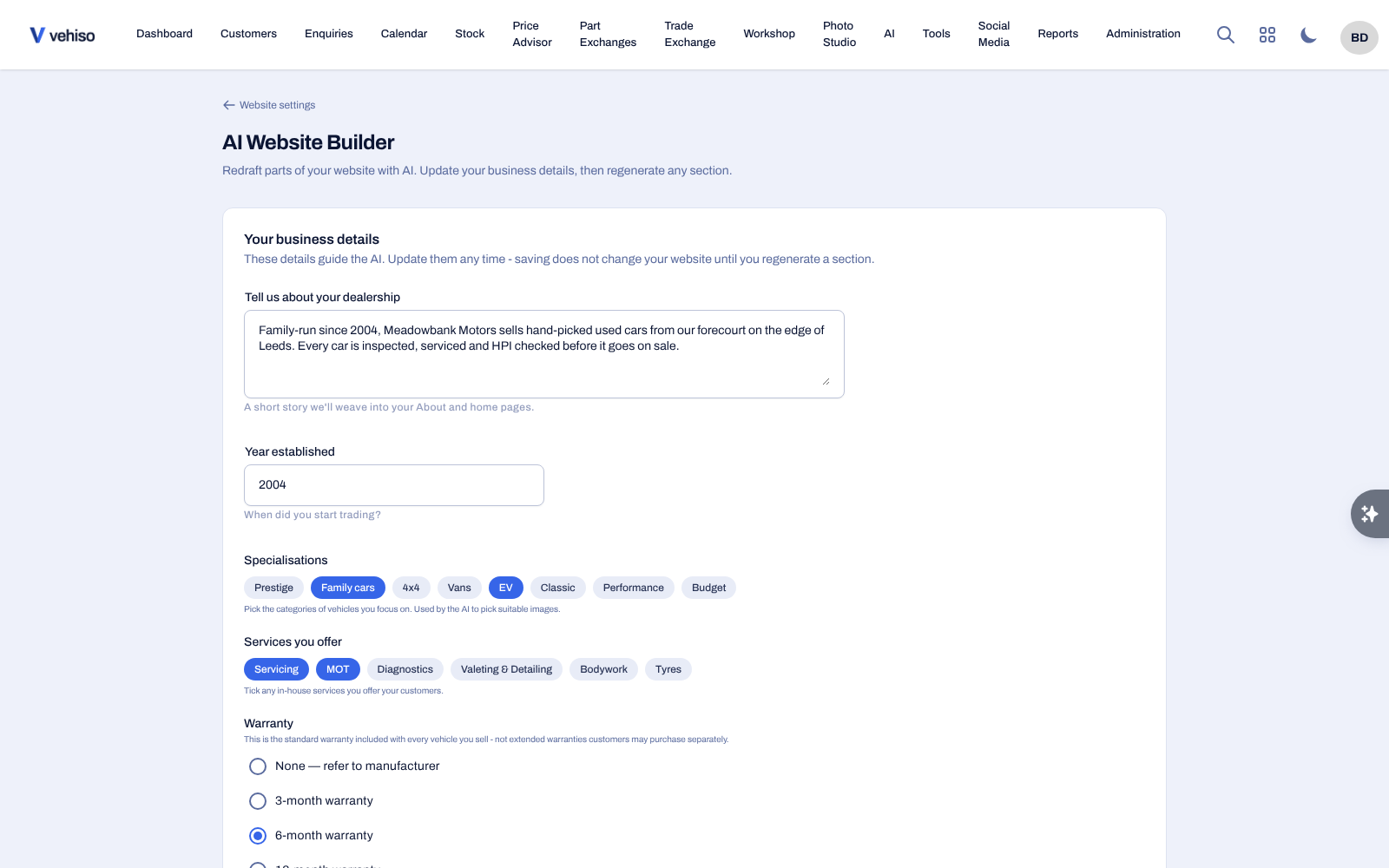
Your business details
These are the facts the AI writes from:
Your story, and the year you were established
The vehicle categories you specialise in
The services you offer
Your standard warranty
Whether you offer finance, and who with
Your unique selling points
Your brand voice
Edit them and select Save details. Saving does not change your website. Nothing on the site changes until you regenerate a section.
Keep them current. When you add a service, or take on a new finance partner, update this first and then regenerate the pages that mention it.
Regenerating a section
Find the section in Website sections.
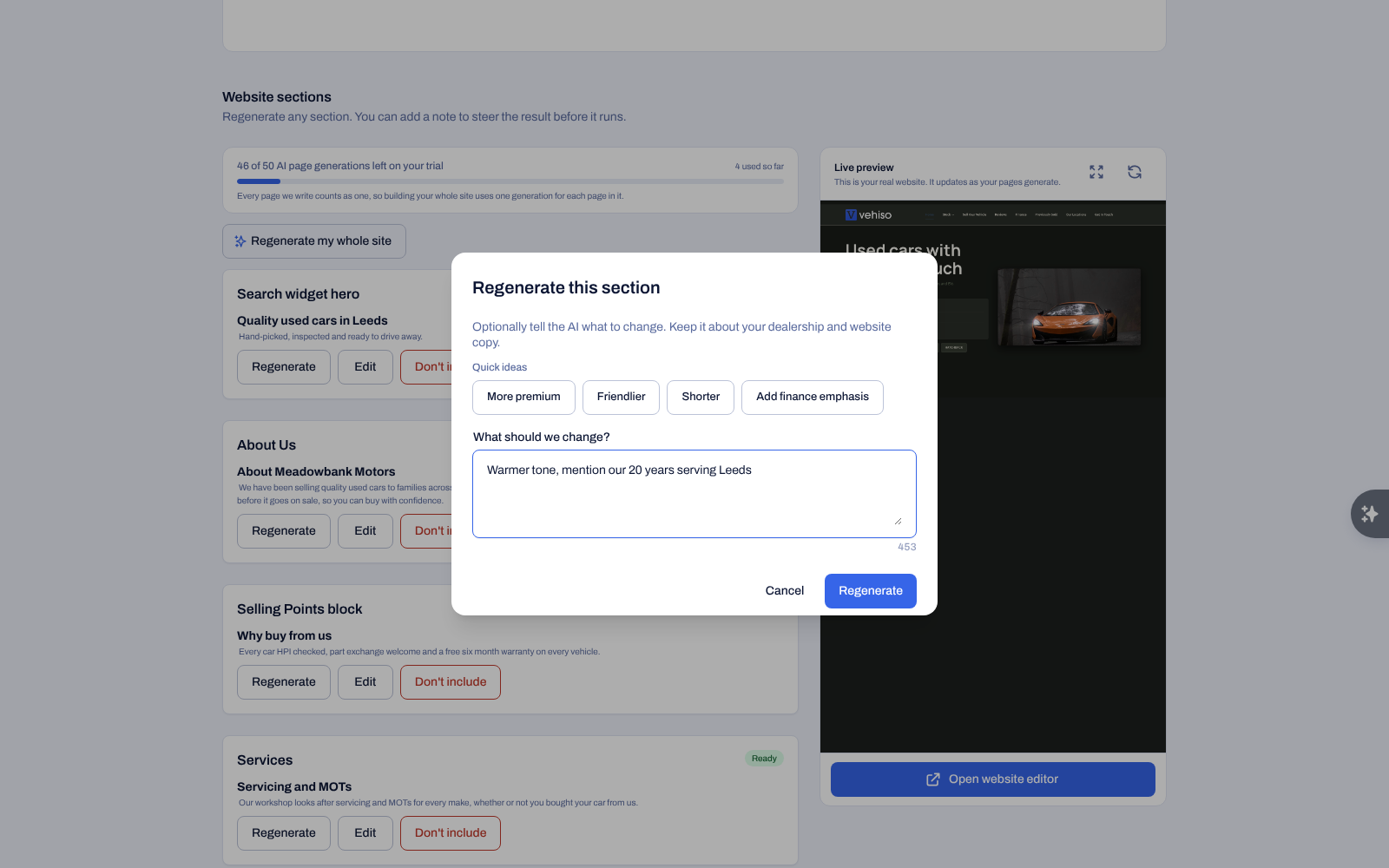
Select Regenerate.
Optionally tell the AI what to change under What should we change? - for example "warmer tone, mention our 20 years serving Leeds".
There are quick ideas to save typing: More premium, Friendlier, Shorter, Add finance emphasis.
Confirm.
Regenerate everything redoes every page with your new direction. It is the right button after a rebrand or a change of direction, and the wrong one if you only dislike a paragraph.
If your site has not been drafted yet
Where nothing has been generated, the builder offers Generate my website to do the whole site in one go. Fine-tune individual sections afterwards.
The nudge
Pages drafted by AI show a quiet prompt on the website editor offering to regenerate that section. Dismiss it if you are happy with the copy as it stands.
Limits while you are on a trial
Trials include a set number of AI generations. When you run out, the builder tells you and points you at adding a payment method. Generations are not consumed by editing text yourself.
Where AI stops and you take over
The builder writes copy. It does not change your layout, your images or your menu. For those:
Text and images in place, on the live site: Edit Website. See Pages and content blocks.
Page structure, new pages and publishing: Administration > Pages.
The header menu: Website navigation menu.
Always read what the AI produced before leaving it live. It writes well, and it is confident about details it has no way of knowing.