
Your team: users, roles and lead assignment
Everyone who uses Vehiso needs their own account. Shared logins make the sales figures, the activity log and the audit trail meaningless, and they make it impossible to assign a lead to a person.
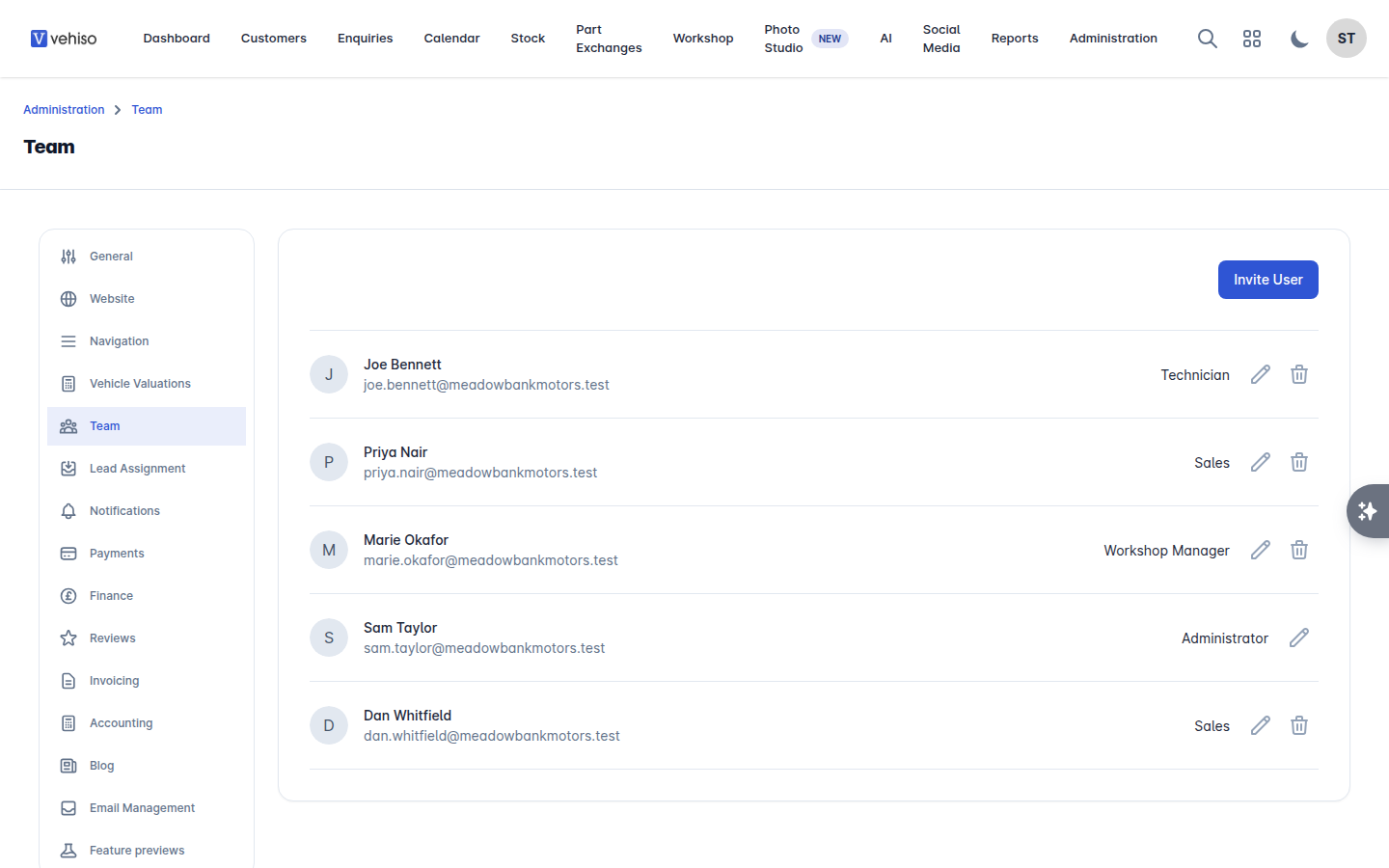
Go to Administration > Settings > Team.
Inviting someone
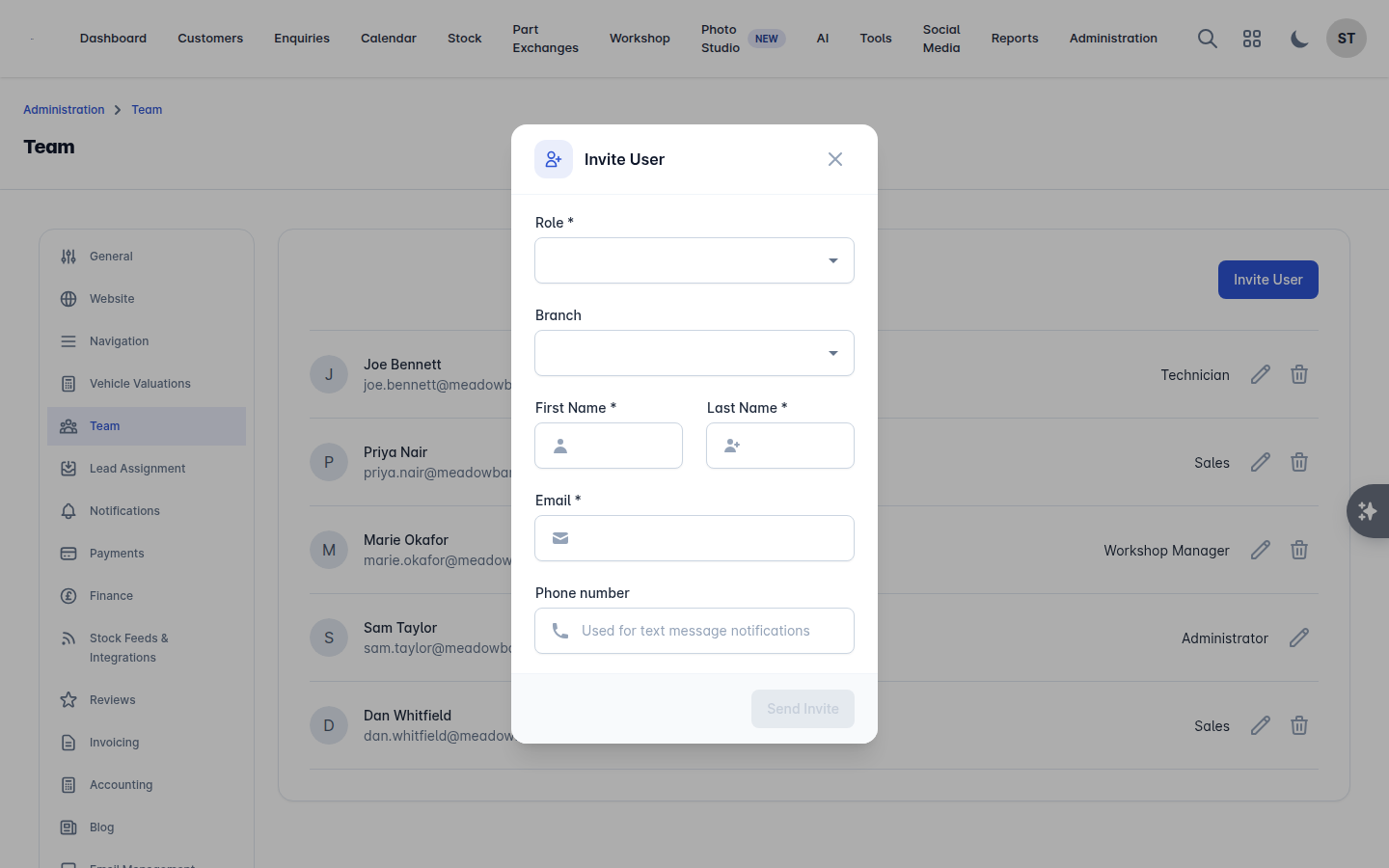
Select Invite User.
Enter their First Name, Last Name and Email.
Choose their Role.
Choose their Branch if you have more than one location.
Select Send Invite.
They get an email inviting them to choose a password. Until they accept, their row shows unconfirmed. An unconfirmed account cannot be given leads.
To change someone's role or branch later, edit them from the same list.
The roles
Role | Typically used for |
|---|---|
Super Administrator | The owner. Full access, including settings, billing-related screens and user management |
Administrator | Managers who need full access, including settings and user management |
Management | Senior staff who need the whole system and reporting, but not user and settings administration |
Sales | Your sales team: customers, enquiries, stock, calendar |
User | General staff access |
Technician | Workshop only. Sees My Jobs, Time Log and Profile instead of the full workshop menu, and cannot reach the sales side |
A few things worth knowing:
Settings panels, user management and some financial actions are restricted to the administrator roles, and in places to Management as well.
Technicians cannot be given leads. Lead assignment only offers Super Administrator, Administrator, Management, Sales and User accounts, because technicians work the workshop diary rather than the sales pipeline.
If your dealership is looked after by an agency, their staff appear with an agency account type and are managed by the agency, not by you.
Lead assignment
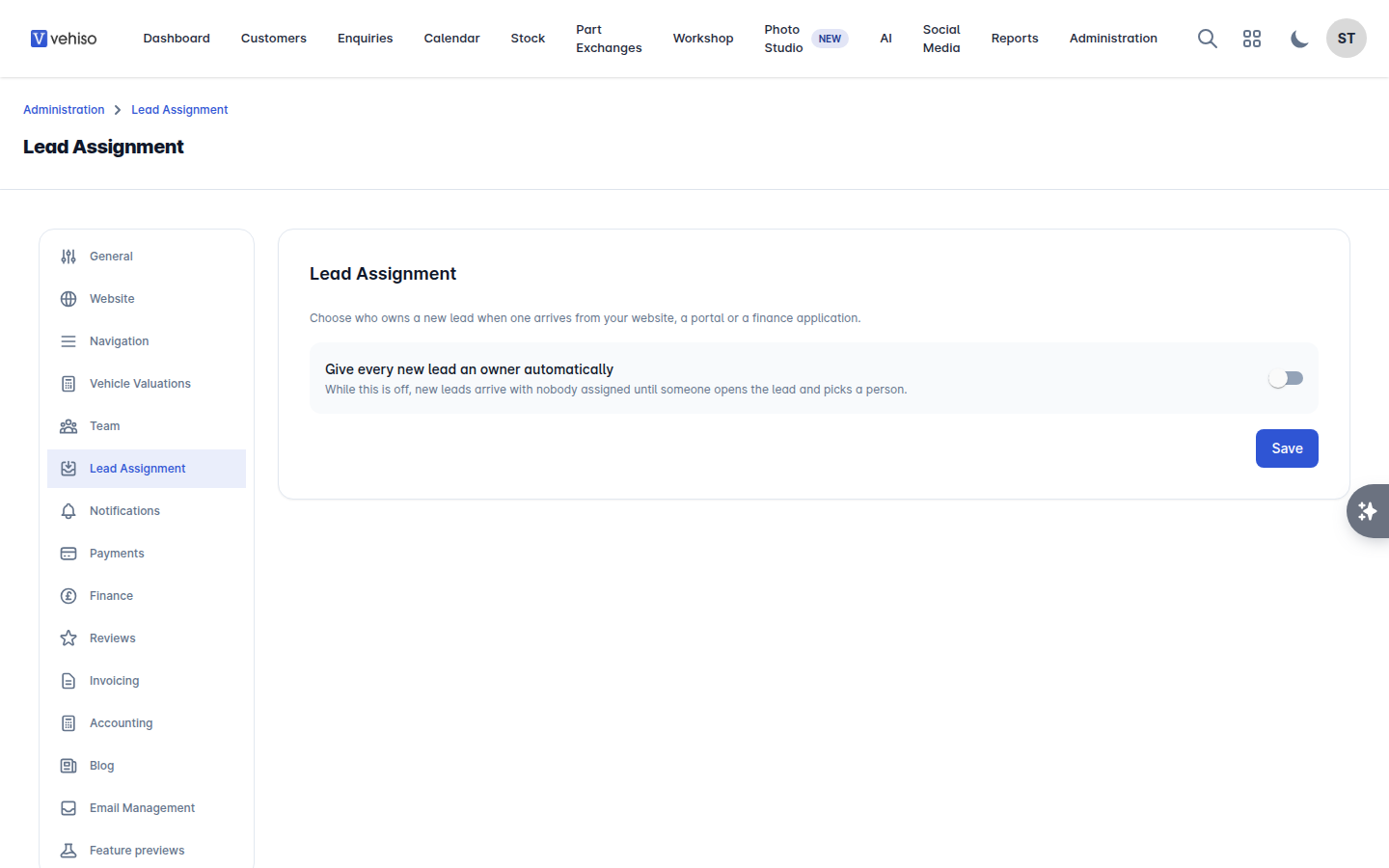
By default a new lead arrives with nobody assigned, and sits there until someone opens it and picks an owner. Lead assignment gives every new lead an owner the moment it arrives, whether it came from your website, a portal or a finance application.
Go to Administration > Settings > Lead Assignment.
Turn on Give every new lead an owner automatically.
Choose who gets the lead:
One person - every new lead goes to the same person. Pick them under Assign leads to.
Whoever has the fewest active enquiries - each lead goes to the member of your sales team with the fewest active enquiries at that moment.
Your choice saves as you make it.
If nobody can be given leads, it is because no eligible account has been verified yet. Add someone, or get them to accept their invitation, under Team.
You can always reassign an individual enquiry afterwards: open it and use Update Sales Person. See Working an enquiry.
Removing someone
Remove a user from the Team panel when they leave. Their history stays on the records they worked, so past enquiries and orders still show who dealt with them.