
Notifications
Notifications tell the right person when something happens, without them having to watch a screen. They are set per dealership, not per user, so you decide who hears about what.
Go to Administration > Settings > Notifications.
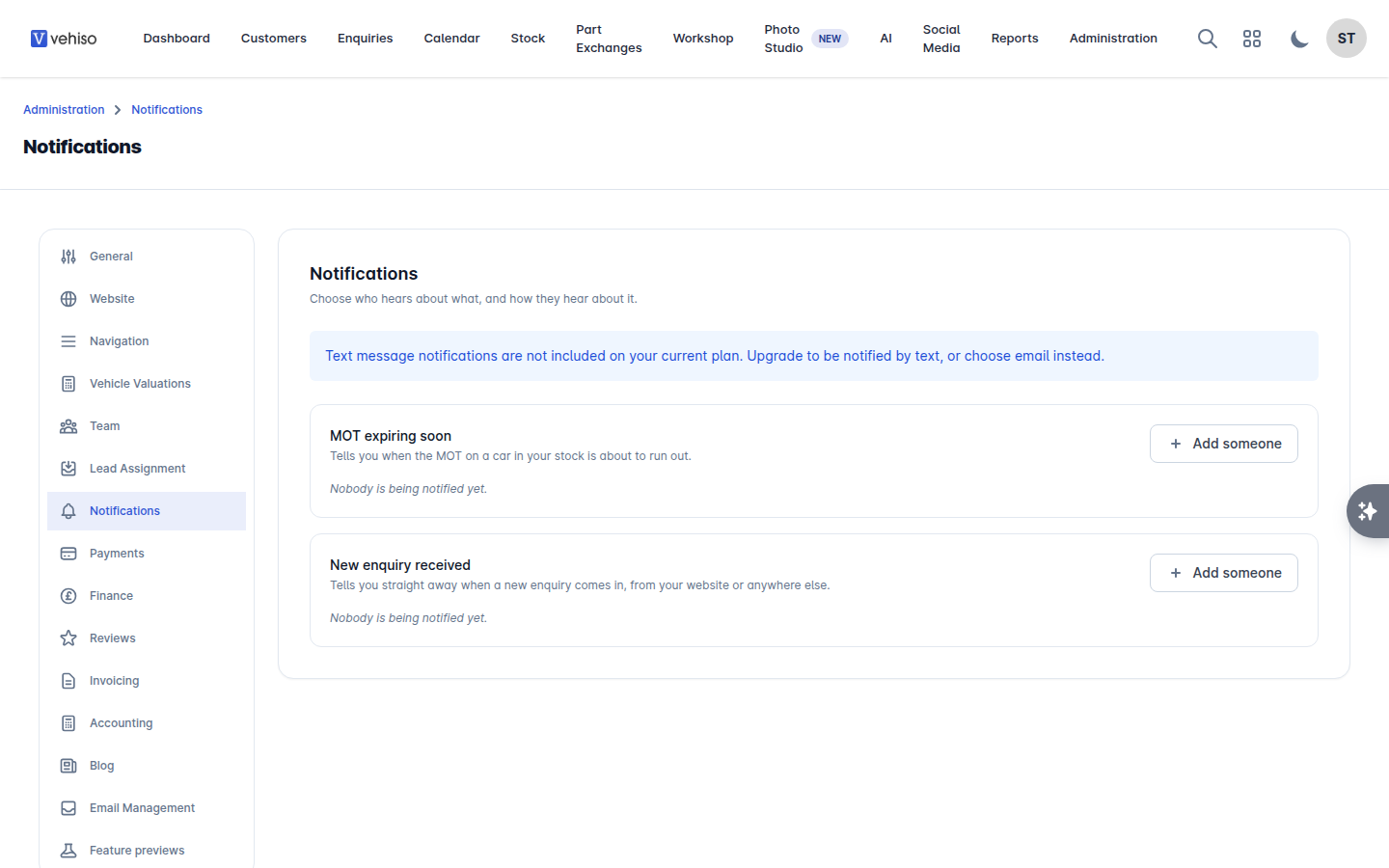
Adding someone to a notification
Find the notification you want to set up.
Select Add someone.
Under Who should we tell? choose a member of your team, or Someone else and enter their Email address or Phone number.
Choose How should we tell them? - email or text message.
Where the notification is about something coming up, set How far ahead you want the warning, for example 7 days before.
Where the notification is about something that belongs to a branch, choose the Branch. It covers All branches unless you narrow it, and you are only asked if you have more than one branch.
Save.
Vehiso asks the person to accept first. Until they do, their row shows that it is waiting for them, and nothing is sent. If they did not get it, use Send again.
What you can be told about
MOT expiring soon - the MOT on a car in your stock is about to run out. Set how far ahead you want to know. It covers your whole stock, so there is no branch to choose.
New enquiry received - a new enquiry has come in, from your website or anywhere else. This one is sent as it happens rather than in the daily sweep, because a lead is worth most in the first few minutes. It can be limited to one branch.
Things to know
If someone has no email address or phone number on file, their row says so and nothing can be sent to them. Add their details under Administration > Settings > Team, or on their own Account Settings page.
For a member of your team, notifications go to the Email and Phone held on their account, and you are not asked for an address. Someone with no mobile number cannot be chosen for a text message.
For Someone else, the email address or phone number you type in is where it goes.
A row that is limited to one branch says so, for example "Sheffield only". A row covering every branch says nothing, so the list stays quiet where there is nothing to narrow.
Remove someone with Remove. It takes effect immediately.
Notifications are separate from Communication Templates, which are the messages you send to customers. See Communication templates.